

Installation#
You can install the Radar Explorer Toolkit using the latest installer from the repository’s Releases page or install it from PyPI.
Install the toolkit using the installer#
Install the Radar Explorer Toolkit for your operating system using the latest installer:
To install the toolkit on Windows, follow these steps:
Download the latest installer for Windows from the repository’s Releases page.
The file is named
Radar-Explorer-Toolkit-Installer-windows.exe.Run the installer.
Search for
Radar Explorer Toolkitand launch it.
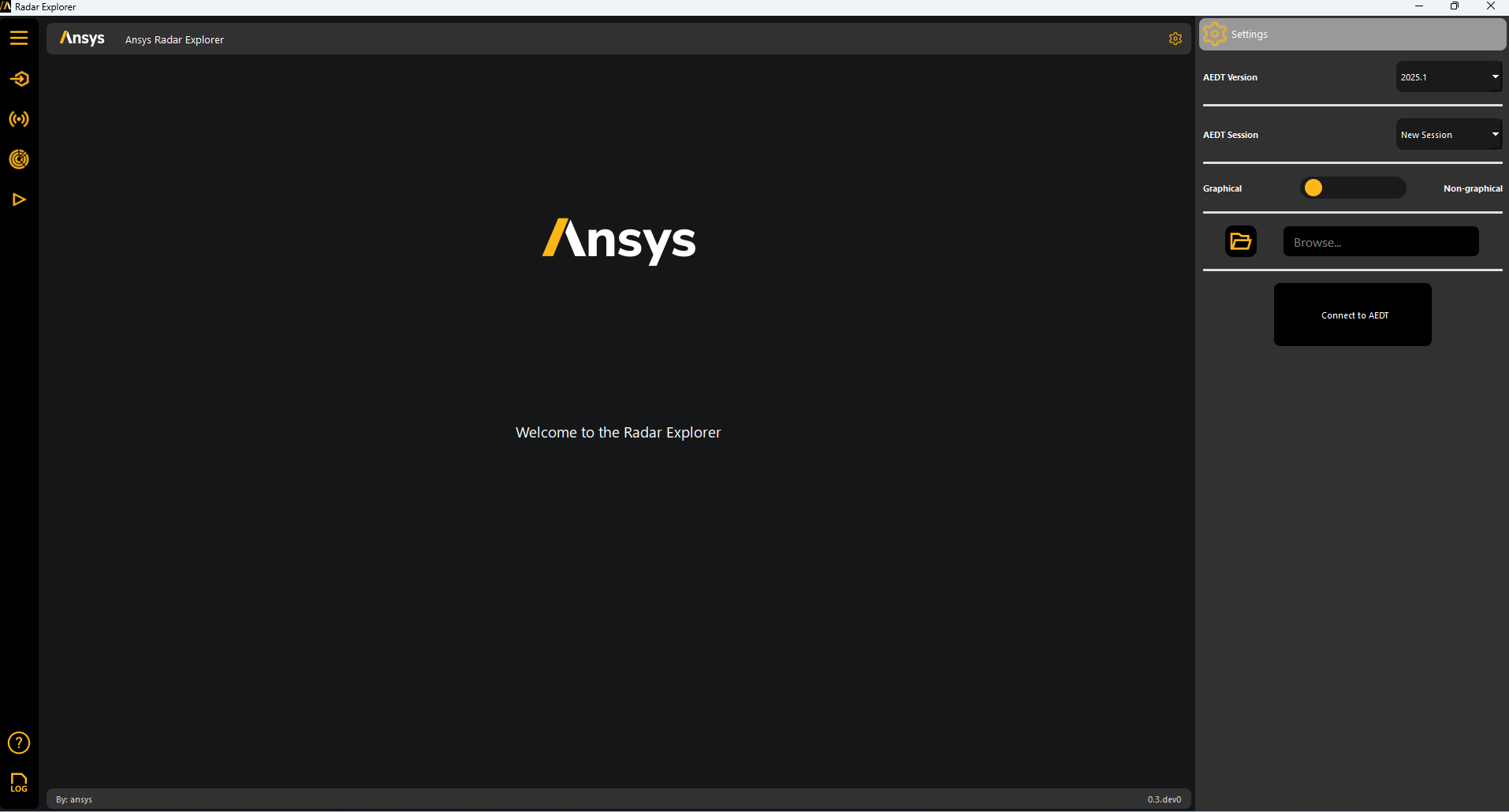
The Radar Explorer Toolkit window opens.
Supported Linux operating systems are Ubuntu 24.04 and 22.04. To install the toolkit on a supported Ubuntu version, follow these steps:
Update the
apt-getrepository and install required packages with sudo privileges:sudo apt-get update -y sudo apt-get install wget gnome libffi-dev libssl-dev libsqlite3-dev libxcb-xinerama0 build-essential -y
Download and install the
zliblibrary:wget https://zlib.net/current/zlib.tar.gz tar xvzf zlib.tar.gz cd zlib-* make clean ./configure make sudo make install
Download the latest Radar Explorer Toolkit installer for Ubuntu from the repository’s Releases page.
The file is named
Radar-Explorer-Toolkit-Installer-ubuntu_*.zip.Run this command in the terminal:
unzip Radar-Explorer-Toolkit-ubuntu_*.zip
./installer.sh
Search for
Radar Explorer Toolkitand launch it.
The Radar Explorer Toolkit window opens.
Uninstall the toolkit#
To uninstall the Radar Explorer Toolkit, follow these steps:
From the toolkit’s menu, select File > Uninstall.
Click Uninstall.
Install the toolkit with Python#
Install the Radar Explorer Toolkit from PyPI like any other open source Python package. You can install both the backend (AI) and user interface (UI) methods or only the backend methods.
Note
If you have an existing virtual environment, skip step 1.
If you have already installed the toolkit in your virtual environment, skip step 2.
Create and activate a new Python virtual environment:
# Create a virtual environment
python -m venv .venv

# Activate it in a POSIX system
source .venv/bin/activate

# Activate it in a Windows CMD environment
.venv\Scripts\activate.bat

# Activate it in Windows PowerShell
.venv\Scripts\ActivateT.op si1
To install both the backend and UI methods from the GitHub repository:
python -m pip install ansys-aedt-toolkits-radar-explorer[all]
To install only the backend methods:
pip install ansys-aedt-toolkits-radar-explorer
If you installed both the backend and UI methods, launch the toolkit:
python .venv\Lib\site-packages\ansys\aedt\toolkits\radar_explorer\run_toolkit.py
Note
If you are a developer wanting to contribute to the Radar Explorer Toolkit, see Contribute.